Products
Two tools for Unity 6 developers. Both are submitted to the Unity Asset Store and waiting for approval.
Proving Ground
Tune your game while it runs. Keep the numbers. See which settings played best.
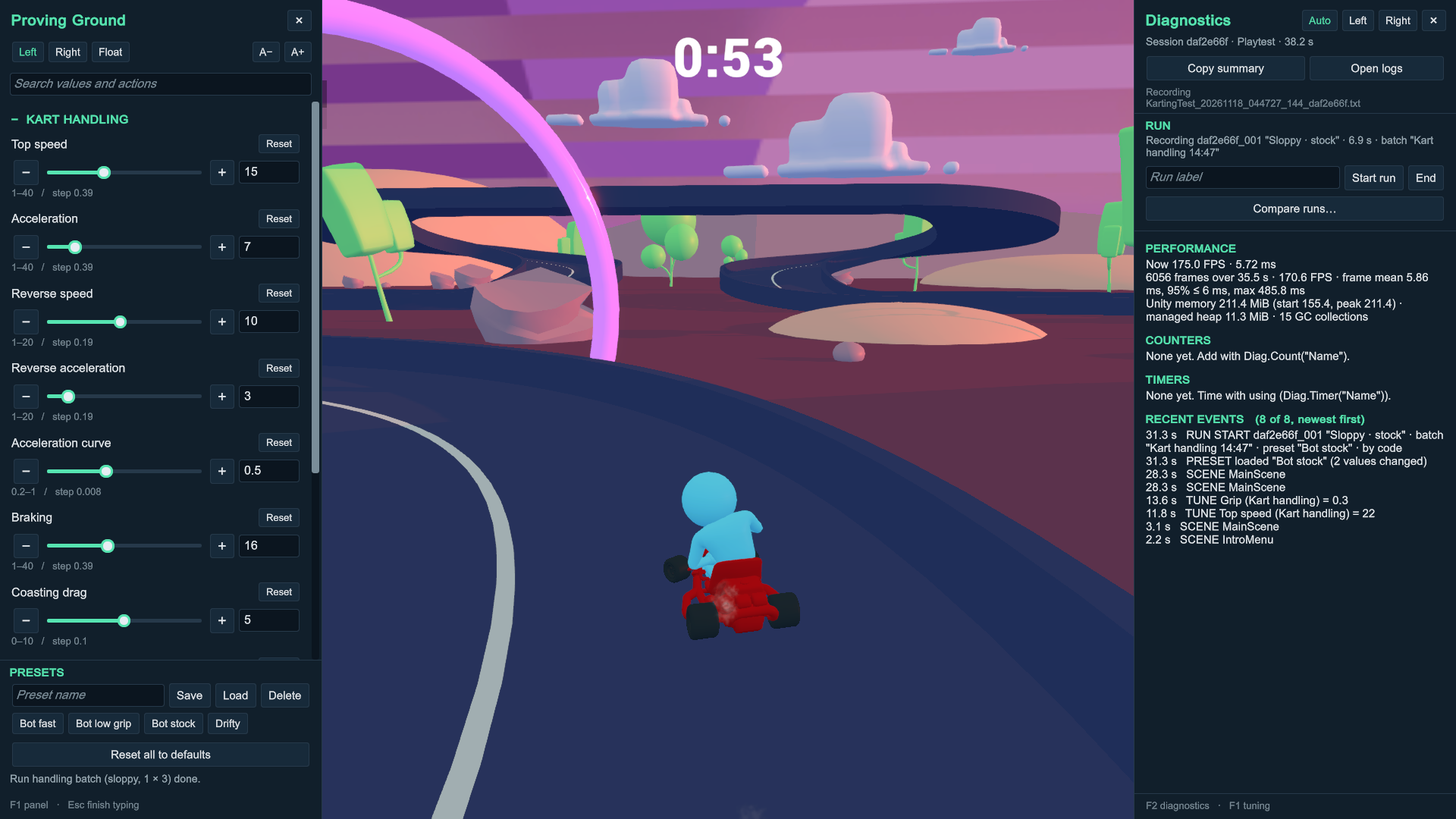
Tune gameplay values live with sliders, keep the numbers as presets, and record runs to compare which settings played best. For Unity 6, with no dependencies.
- Tune live. Put
[Tune]on a field and it appears as a slider, toggle or option button while the game runs. Save the values as named presets and load them in one click. - See what happened. Frame rate, frame times, memory and garbage collections, plus your own counters, timers and events.
- Compare runs. Each run is saved with the exact settings it started with. Compare runs side by side, with only the settings that differ.
- Safe to leave in. Off in release builds, on in the Editor and development builds. Full C# source and no dependencies beyond Unity's built-in modules.
Unity 6000.0 or newer. Built-in, URP and HDRP. Tested on Windows (Editor and 64-bit players).
Footfall: Playtest Heatmaps
Recon for your levels: see where players walk, stall and die.
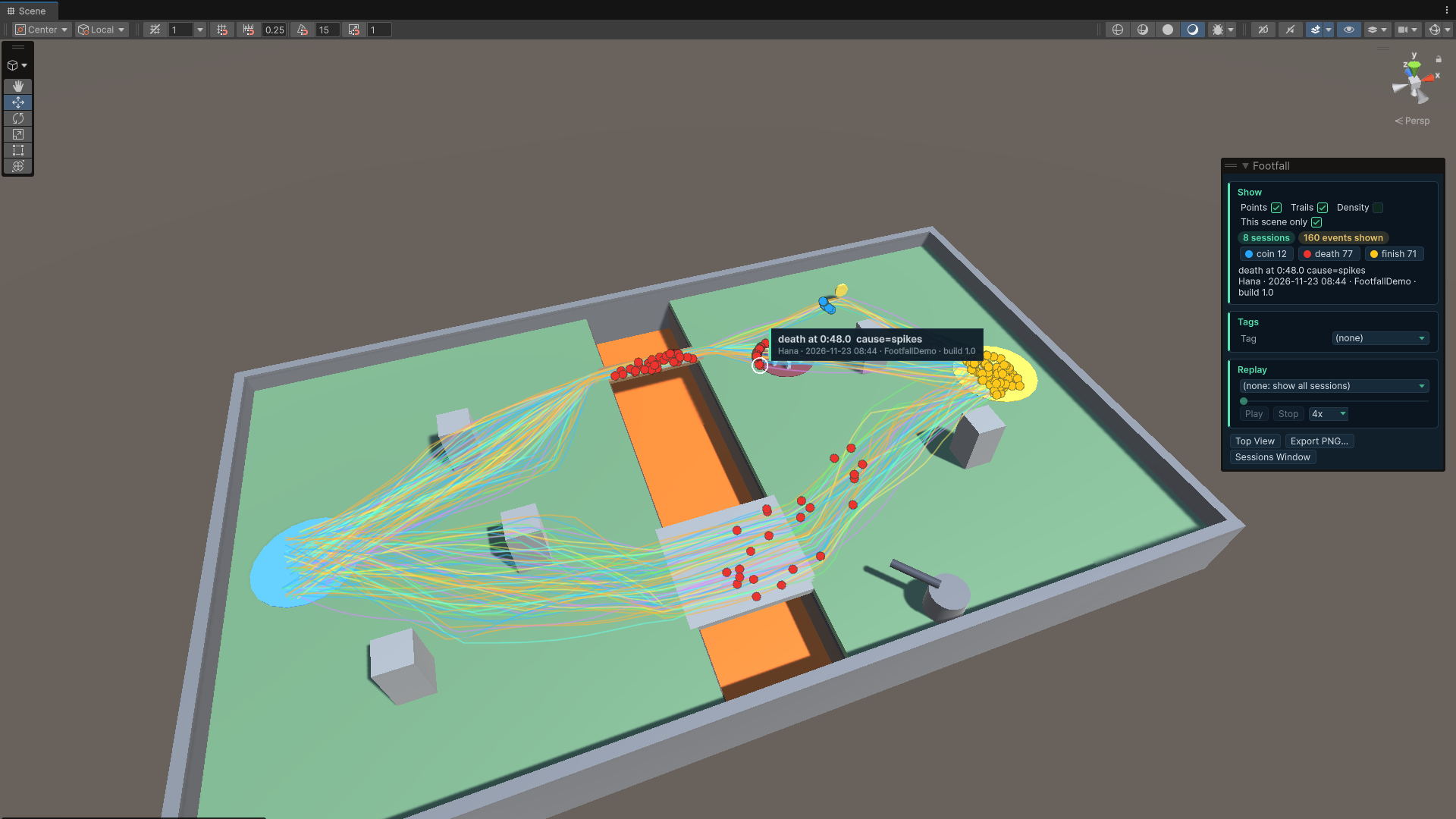
Record where playtesters move, die and trigger events, and see it drawn in your Scene View as markers, trails and a density heatmap. Local files, no server or account, for Unity 6.
- Record with one component and one line. Add Heatmap Recorder to the player, and call
Heatmaps.Record("death", position)wherever something worth mapping happens. - See it in the Scene View. Markers, each tester's trail, density heatmaps, counts by tag, and replay of a single session. Export a top-down PNG to share.
- Bring in every tester's sessions. Import a file or a whole folder, then filter by scene, build, tester, date and event.
- Safe to leave in. Off in release builds, with no server, account or network calls. 2D and 3D, with full C# source.
Unity 6000.0 or newer. Built-in and URP. Tested in the Windows Editor.